How to Run Android Applications on Ubuntu

When Google announced and released Android, back in October 2008, everyone knew that it would become the best operating system for mobile devices. Not only is Android open source, but it also comes with a Software Development Kit, which offers the necessary APIs and utilities for developers to easily build powerful applications for Android-powered mobile devices. The following tutorial was created especially for those of you who want to test the Android platform and install various applications, on the popular Ubuntu operating system. OK, so let's get started... shall we?

Grab the Android SDK 1.5 from Softpedia and save the file on your home folder. It has around 160 MB, so it will take a while if you have a slow network connection.

Step 1 - Installing the requirements

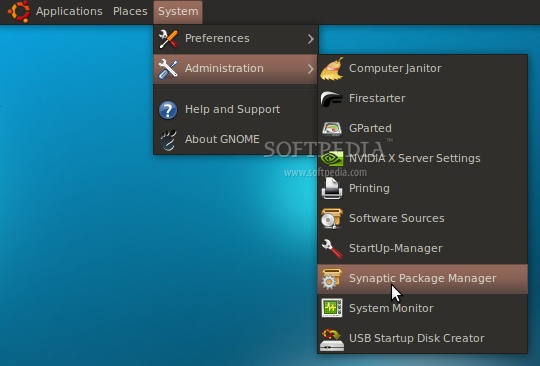
Until the download is over, make sure that you have Java installed and the 32-bit libraries (for the x86_64 users only). If you don't have Java and/or the 32-bit libs, go to System -> Administration -> Synaptic Package Manager...

Review image

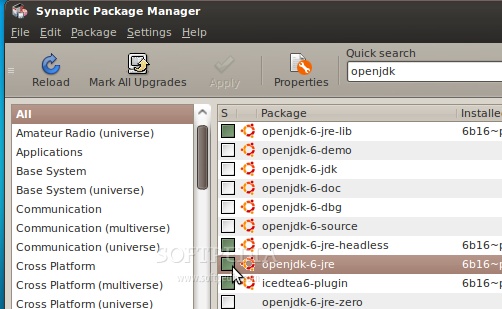
...search for openjdk and double-click on the openjdk-6-jre entry...

Review image

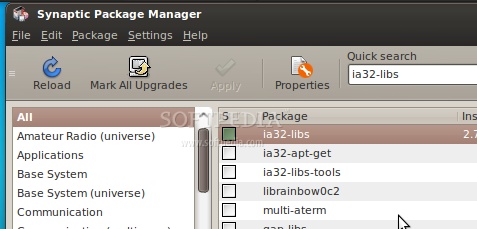
...then, search for ia32-libs (ONLY if you are on a x86_64 machine), and double-click on the ia32-libs entry...

Review image

Now, click the "Apply" button to install the requirements. Wait for the packages to be installed and close Synaptic when the process is finished.

Step 2 - Android Setup

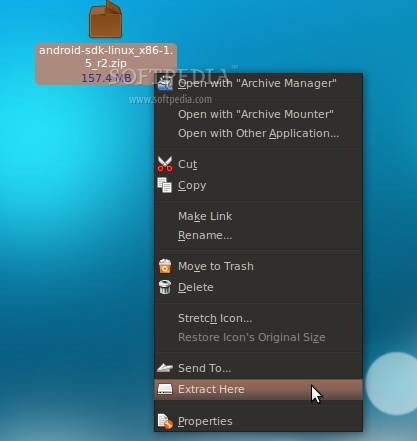
When the Android SDK download is over, right-click on the file and choose the "Extract Here..." option...

Review image

Open a terminal (Applications -> Accessories -> Terminal) and type or paste the following commands, one by one (hit Enter after each one):

cd ~/android-sdk-linux_x86-1.5_r2/tools

...let's create a 2GB SD Card (I think 2GB is more than enough, but if you need more just change the size)...

./mksdcard 2048M SDCard1

...wait a couple of minutes for the card-creation process to finish.

And now, let's create the Android Virtual Device...

./android create avd -n softpedia -t 2

Hit Enter when asked if you wish to create a custom hardware profile, and you'll be immediately notified that the virtual device was created, for Android 1.5.

Note: You can replace "softpedia" in the above command with whatever name you want to give to your Android device. If you want a virtual device for the Android 1.1 platform, replace 2 with 1, in the above command.

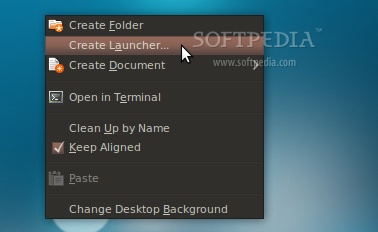
The final step is to create a desktop shortcut, so you won't have to open the terminal every time and type some command, in order to start the Android emulator. Therefore, right-click on your desktop and choose the "Create Launcher..." option...

Review image

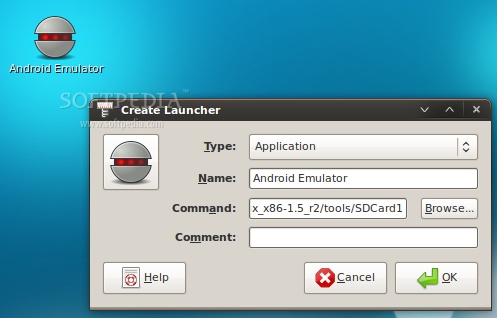
In the Create Launcher window, type "Android Emulator" (without quotes) in the Name field, and paste the following line in the Command field. Optionally, you can also put a nice icon if you click the button on the left...

/home/YOURUSERNAME/android-sdk-linux_x86-1.5_r2/tools/emulator @softpedia -sdcard /home/YOURUSERNAME/android-sdk-linux_x86-1.5_r2/tools/SDCard1

Review image

Note: Please replace YOURUSERNAME and the name of the Android Virtual Device (softpedia in our case) with yours. DO NOT REMOVE the @ sign.

Step 3 - Run applications in Android

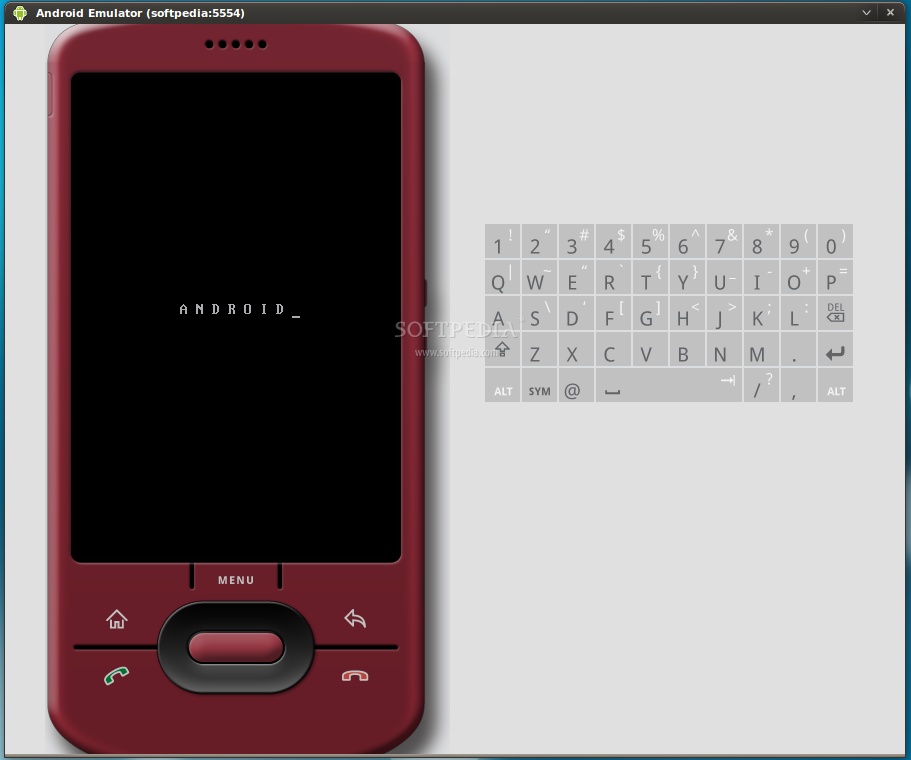
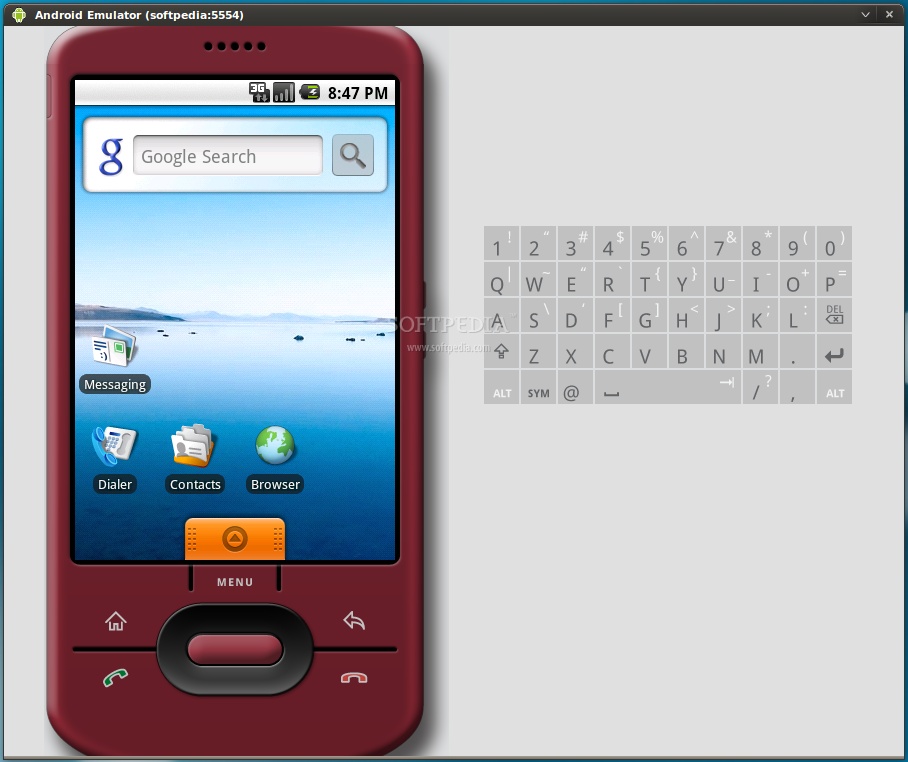
All you have to do now is double-click that desktop shortcut you've just created. The Android emulator will start. Wait for the operating system to load...

Review image

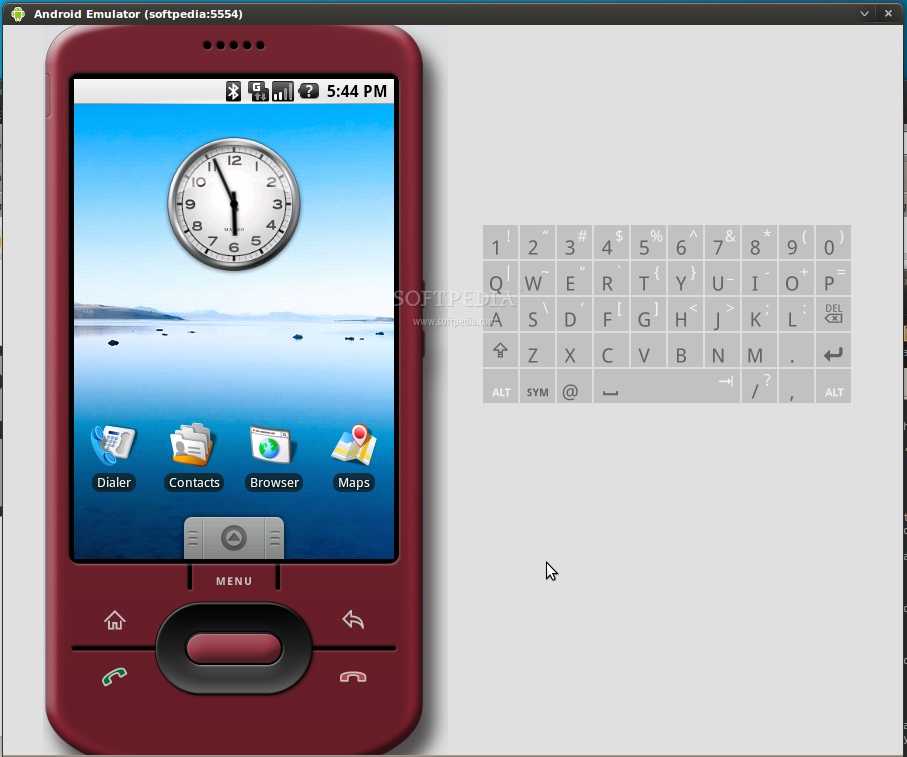
When the Android operating system has loaded, you can install and test applications. If you are used with the Android platform, you already know how to do that, but if this is your first time... follow the next instructions.

Review image
Android 1.1

Review image
Android 1.5

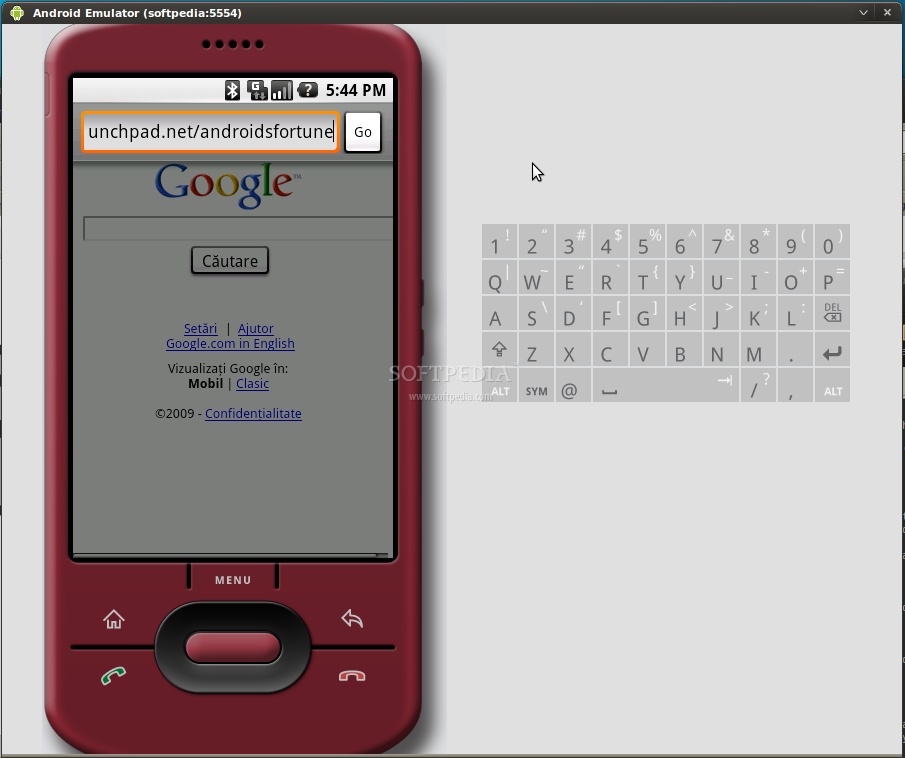
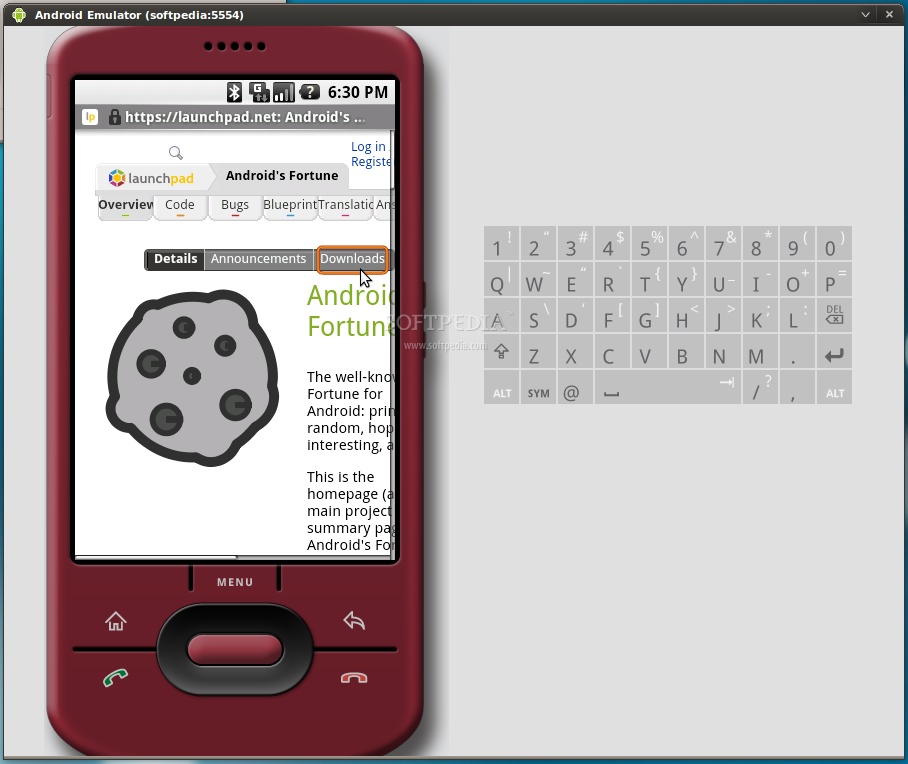
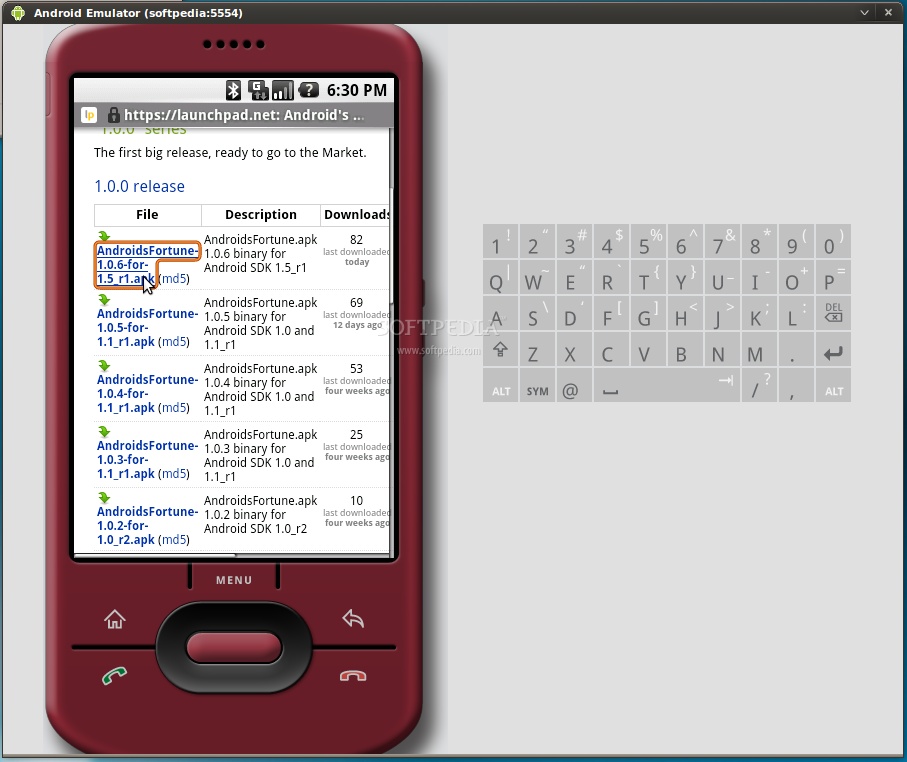
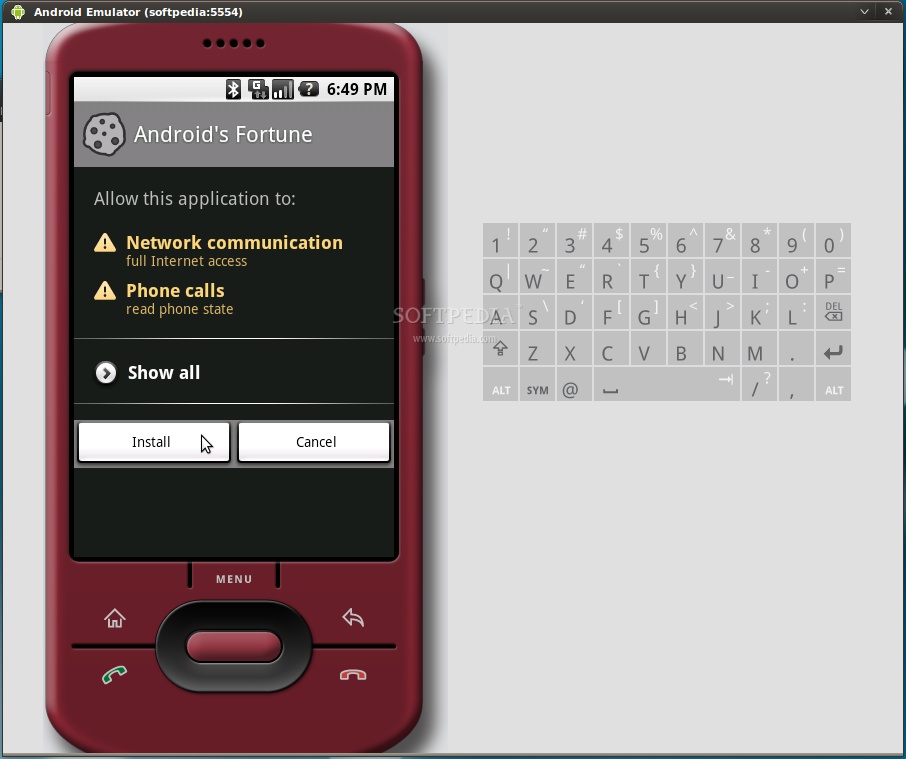
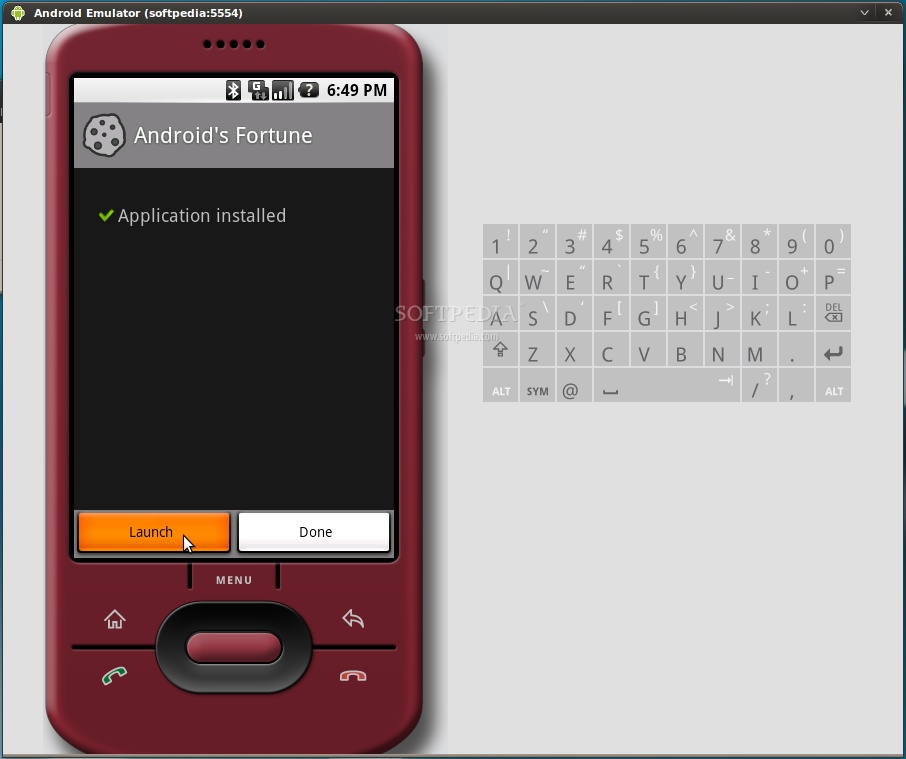
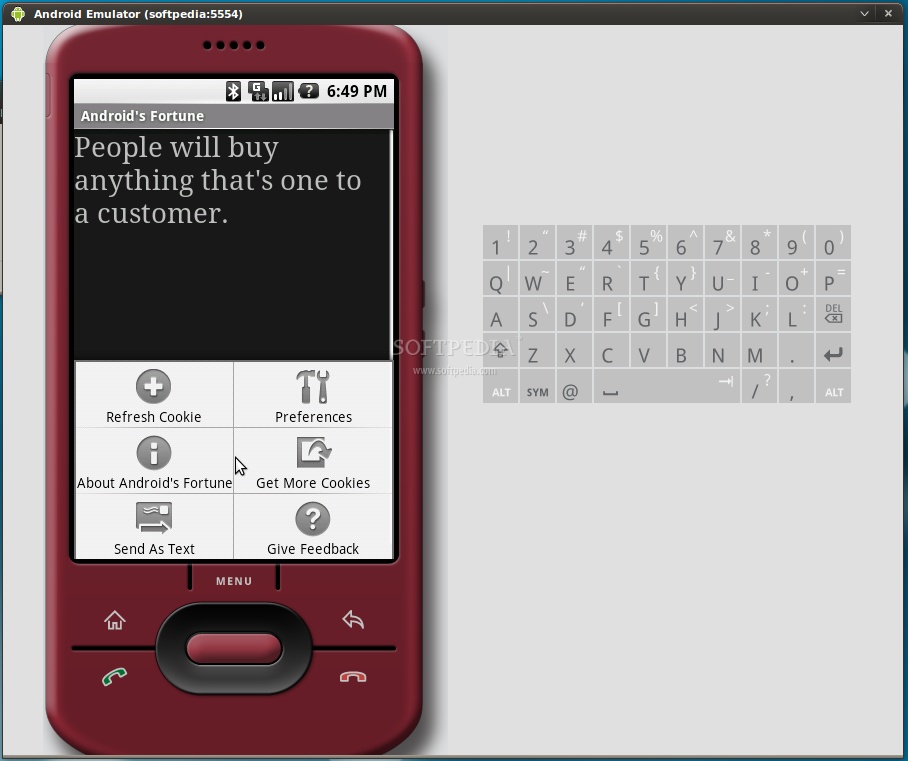
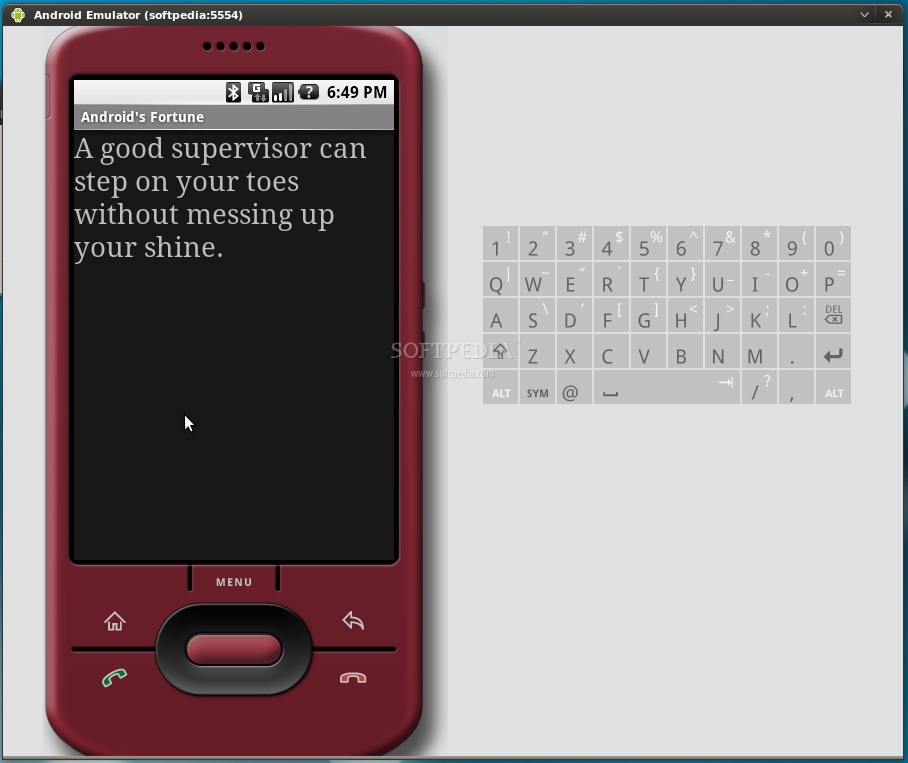
Click the Browser icon, wait for the browser to load and click Menu -> Go to URL. Enter the address from where you can download an Android application with the apk extension. For example, we've easily installed Android's Fortune from Launchpad...

Review image

Review image

Review image

Review image

Review image

Review image

Review image

...all you have to do is follow the on-screen instructions!

Resources: Softpedia

Session sharing in Apache Tomcat 6

Sometimes when you want to create large portal-like application which consists of a few smaller applications, or you want to create your own SSO (Single Sign On) domain, you must share session and session data between all interested applications.

This article will show you how you can share session and data across applications in Apache Tomcat 6.

Enabling session sharing

Open $CATALINA_HOME/conf/server.xml, find the 8080 connector definition:

<connector port="8080" protocol="HTTP/1.1" connectiontimeout="20000" redirectport="8443" />

and simply add emptySessionPath="true" attribute to it so that it looks something like this:

<Connector port="8080" protocol="HTTP/1.1" emptySessionPath="true" connectionTimeout="20000" redirectPort="8443" />

Test projects

There are two simple applications called session1 and session2.

session1 increments the counter:


<%@ taglib uri="http://java.sun.com/jsp/jstl/core" prefix="c"%>
<!DOCTYPE html PUBLIC "-//W3C//DTD HTML 4.01 Transitional//EN" "http://www.w3.org/TR/html4/loose.dtd">
<html>
<head>
<title>++</title>
</head>
<body>
<h1>I'm incrementing the counter!</h1>
<c:set var="counter" value="${sessionScope.counter + 1}" scope="session" />
<h1>Current counter value is ${sessionScope.counter}</h1>
</body>
</html>

session2 decrements the counter:

<%@ taglib uri="http://java.sun.com/jsp/jstl/core" prefix="c"%>
<!DOCTYPE html PUBLIC "-//W3C//DTD HTML 4.01 Transitional//EN" "http://www.w3.org/TR/html4/loose.dtd">
<html>
<head>
<title>--</title>
</head>
<body>
<h1>I'm decrementing the counter!</h1>
<c:set var="counter" value="${sessionScope.counter - 1}" scope="session" />
<h1>Current counter value is ${sessionScope.counter}</h1>
</body>
</html>
Deploying

Deploy both applications and refreshed a few times their index pages:

http://localhost:8080/session1/
http://localhost:8080/session2/

although the JSESSIONID cookie was the same:

http://img39.imageshack.us/img39/7107/aftercomparison.png
counters were independent. The first one showed +4, the second one showed -4.

The problem and the solution

Problem: even though the session id is the same in both applications you cannot share data directly using HttpSession object.

Solution: you have to use session-aware cross contexts in order to share data between applications.

Cross contexts in Apache Tomcat

First you have to allow applications to access each others' contexts.

Open $CATALINA_HOME/conf/context.xml and add crossContext="true" attribute to the root element:
<?xml version='1.0' encoding='utf-8'?>
<Context crossContext="true">
<WatchedResource>WEB-INF/web.xml</WatchedResource>
<Manager pathname="" />
</Context>
Re-start the server.

Resources: jee-bpel-soa

Funny Technology

Free funny images on hilarious and funny technologies and much more images on the technology fun in this post. Watch out the funniest cartoon images and pics of fun technology:

1. How technology changed us in just 18 years

anhvui

2. What's your address?


[3_address_maulik_dave.gif]


3. The coffee machine is broken ...

Fun Technology

4. Nokia Unleashes new Hands

5. Technology for country Folk

http://www.tips4pc.com/images/image001.jpg

Have a nice day!

Top 10 Apps that Boosts Ubuntu’s User Experience

1. Ubuntu Tweak

Ubuntu Tweak allows changing all the itsy-bitsy pieces of Ubuntu desktop OS. It is the equivalent of TweakUI for Windows. You can achieve the same results by using the gconf-editor tool in Ubuntu. Ubuntu Tweak also helps install third-party upgrades in a simpler fashion so it definitely gives a new boost to your clumsy Ubuntu desktop and increases UserExperience.

image

image

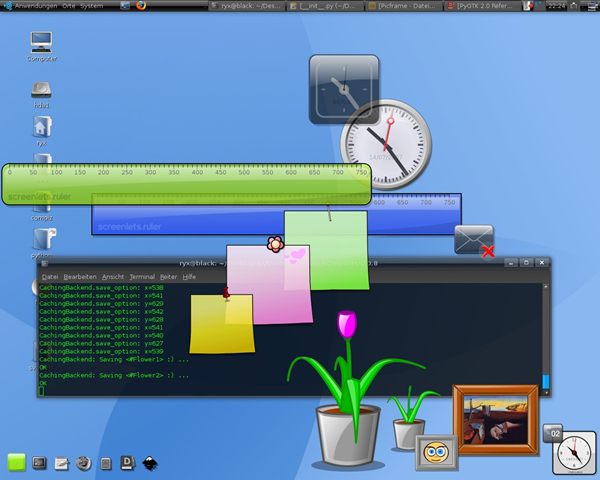
2. Screenlets

The Screenlets application provides access to hundreds of Google Gadgets and other open source widgets, like Remember the Milk or Google Calendar. Ubuntu can also hide the Screenlets until a key is pressed – to get it done you will also need to install the compizconfig-settings-manager package.

This is what they say:

Screenlets are small owner-drawn applications (written in Python) that can be described as “the virtual representation of things lying/standing around on your desk”. Sticknotes, clocks, rulers, … the possibilities are endless.

imageimage

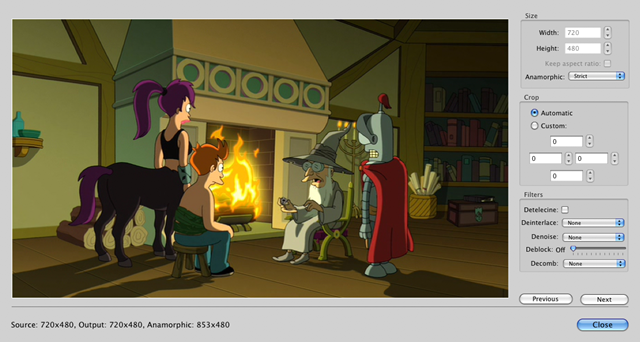
3. Handbrake

Handbrake works with the VLC media player to rip a DVD into a video format file.

This is what they say:

HandBrake is an open-source, GPL-licensed, multiplatform, multithreaded video transcoder

image

image

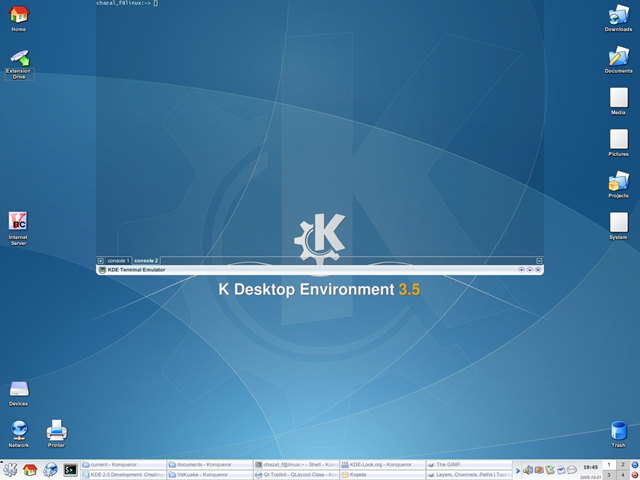
4. Yakuake

Yakuake is a terminal application with tabbing features that is fast with custom coloring and shading and offers an integrated experience. It has been coded for KDE-based systems but it will run on Ubuntu. You may want to make this program start up with system startup.

image
image

UPDATE: They are updating their website which currently says:

The website is under heavy construction. Please be patient! The version 3.0 of YaKuake is on its way with great new features.

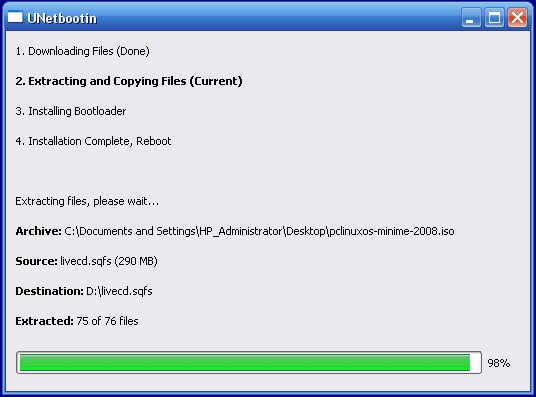
5. UNetbootin

UNetbootin turns any Linux operating system distribution into something that boots from a USB stick. You can custom-make your own operating system with a chosen kernel and UNetbootin makes the process very easy.

image

image

6. Songbird

Songbird is an attractive and adaptable music app for Ubuntu. It can manage your iPod, grab album art, play streaming web tracks and has a host of add-ons that are able to mash up web data and you may also customize how this app looks and feels.

image

image

7. Conky

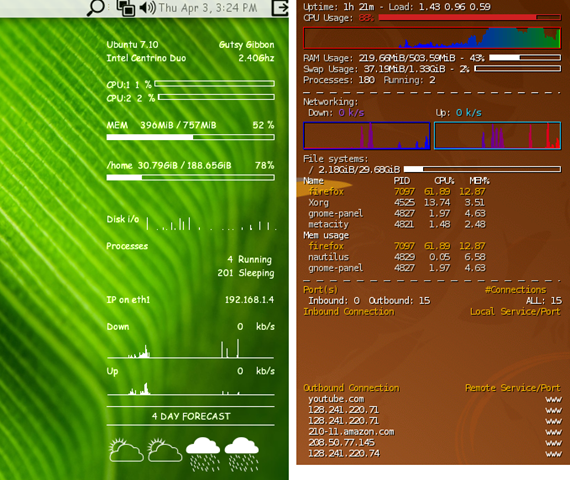
This application is controlled by text files and you can mix and match the features and data you want displayed. Conky can make available any data you want on the desktop and can keep it updated.

image

8. VirtualBox

VirtualBox is much like VMWare but the only difference is that it’s OpenSource. Its primarily for the enterprise users but could be used on any machine for virtualizing. So if you are not yet ready for migration to Ubuntu then you can get a taste of it by installing it on top on VirtualBox i.e. your virtualized Ubuntu experience.

image

image

9. DropBox

DropBox integrates as a folder in your home directory and synchronizes the files with a 2 GB free account and offers access and notifications from system tray.

image

image

10. GNOME Do

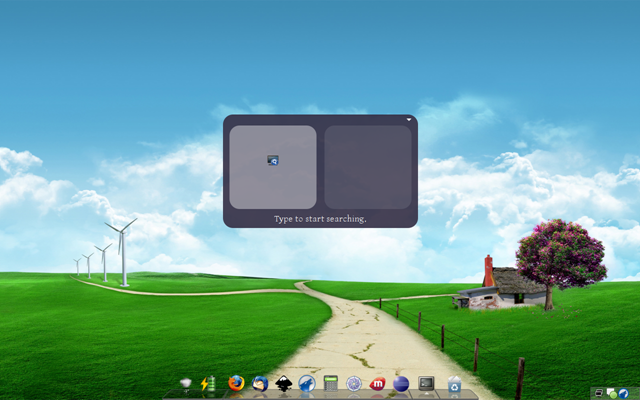
GNOME Do is a productivity tool and application launcher for Ubuntu. You can assign keyboard shortcuts to open applications, use terminal commands, update Twitter, etc. GNOME Do also includes a desktop clock.

image

image

Resources: Programmer Fish

4 Steps To a Professional Database Design

Just as you require a blueprint to build a house, you will need a database blueprint in order to implement a database successfully .The process of the construction of the latter is called the ‘Designing Phase’ which includes a number of heavy steps for the end-product to be flexible. This phase actually defines the information (+ its structure) that will go into the database, the assumptions made related to the type or values of the data items and the relationship between the data items within the database. All professional companies use this procedure design their database and its the most efficient way.

It includes four steps :

1. Requirement Analysis

The database requirements are determined. The exact requirement of the user from the system is captured.All the relevant information related to the system is gathered. The six most common techniques are:

  • Sampling of existing documentation, forms, databases
  • Research and site visits
  • Observation of the work environment
  • Questionnaires
  • Prototyping -build a small model of the user’s requirement to verify before hand
  • Joint Requirements Planning (JRP)- group meetings are conducted to analyze existing problems

2. Entity Relationship Diagram (ERD)

ERD is a high level notation for expressing database designs. It graphically defines the structure of the database in a very simple and understandable manner through the use of symbols.

The information gathered during the ‘Requirement Analysis’ step is transformed into an ERD(Entity Relationship Diagram) that is the data is organized into entities and relationships between them. So instead of going through a lengthy piece of material, we have a pictorial representation of the same piece of information which is easier to read.

A sample ER Diagram is this:

673px-ER_Diagram_MMORPG

(image courtesy Wikipedia)

Various data modeling languages can be used to create an ERD like crow’s foot notation, Chen notation, IDEFIX (Integration Definition For Information Modeling), Shading notation, Bachman notation, UML (Unified Modeling Language) standard etc. Wikipedia has a good page about ER diagrams here

3. Relational Model

It is very easy to understand the scenario from an ERD, but the latter is very weak from the implementation point of view. Concepts of subclasses (IS -A structures) and relationships, for example, cannot be implemented in the database directly .At this point relational model comes into play.

A relational model employs a single concept of tables (also called relations).The entity sets and the relationships depicted in the ERD are converted into tables –a relational model.

There are five steps for the conversion:

  • Turn each non-weak entity set into its corresponding table with the same set of attributes
  • Replace a relationship by a relation whose attributes are the keys of the connecting entity sets
  • Some relations can do well if combined or excluded. For example the supporting relationships (for weak entity sets) need not to be converted to relation at all.
  • Replace a weak entity set by a relation whose attributes are its own attributes (if any) plus the borrowed attributes that help to make its primary key.
  • Convert the subclass structures using the object oriented approach, E/R style conversion or null values.

Explanation of converting ER diagram to relationship model has vast concepts that will not be covered in this post. There are many good books and online resources available that makes it easy to understand. For an overview consider this example that I have taken from Wikipedia:

An idealized, very simple example of a description of some relvars and their attributes:

  • Customer(Customer ID, Tax ID, Name, Address, City, State, Zip, Phone)
  • Order(Order No, Customer ID, Invoice No, Date Placed, Date Promised, Terms, Status)
  • Order Line(Order No, Order Line No, Product Code, Qty)
  • Invoice(Invoice No, Customer ID, Order No, Date, Status)
  • Invoice Line(Invoice No, Invoice Line No, Product Code, Qty Shipped)
  • Product(Product Code, Product Description)

In this design we have six relvars: Customer, Order, Order Line, Invoice, Invoice Line and Product. The bold, underlined attributes are candidate keys. The non-bold, underlined attributes are foreign keys.

4. Normalization

Normalization is a process of increasing the normal form rating .It primarily eliminates the following dependencies in order to avoid redundancies and data anomalies:

  • Partial dependency : based on part of the primary key
  • Transitive dependence : based on an attribute that is not part of the primary key

The first three forms of normalization are:

  1. 1NF
    • Lowest implementable normal form
    • Primary key entity integrity requirements are met
    • Each cell contains a single value
    • Non-Primary key values are dependent on the primary key
  2. 2NF
    • All 1NF conditions are met
    • Partial dependencies are removed
  3. 3NF
    • All 2Nf conditions are met
    • Transitive dependencies removed

Higher forms up to 5NF and BCNF (Boyce-Codd Normal Form) also exist.

Normalization can be applied in two ways:

  • Normal forms applied after the relational model is created
  • The third step is skipped and the creation of tables is done with the normalization in consideration directly
Resources: Programmer Fish

Top Latest Bugs in Java

This is a list of the top these bugs with the most votes. This list is compiled on a daily basis, on sun bug database

1. Semantics of external process is not defined in JLS

Description: By default, the child process's stdout and stderr are redirected to parent process. If parent process does not read the pipe, the child process will block when pipe is full.

2. Java2D incorrectly renders objects with large coordinates

Description: Java2D behaves incorrectly (and very unpredictably) when rendering objects with large coordinates.

3. ClassLoader.loadClass() throws java.lang.ClassNotFoundException: [Ljava.lang.String; in JDK 6.0

Consider this simple test program:

public class Test {

public static void main(String[] args) throws Exception {
String[] s = new String[] { "123" };
String clName = s.getClass().getName();
test.class.getClassLoader().loadClass(clName);
}
}

This runs fine on JDK 1.5, but throws this exception on JDK 6.0.

4. Method.invoke access control does not understand inner class scoping

Running the following program, which should succeed, results in an IllegalAccessException.

import java.lang.reflect.*;

public class TestPrivateAccess extends Object {
TPAInnerClass inner = new TPAInnerClass();

private void privateMethod() {
System.out.println("private method.");
}

class TPAInnerClass extends Object {
void dynamicInvoke() {
try {
Method method = TestPrivateAccess.class.getDeclaredMethod("privateMethod", new Class[] {});
method.invoke(TestPrivateAccess.this, new Object[] {});
}
catch (Exception e) {
e.printStackTrace();
}
}
}

public static void main(String[] argv) {
TestPrivateAccess tpa = new TestPrivateAccess();
tpa.inner.dynamicInvoke();
}
}

5. PermHeap bloat in and only in server VM

Description: With updating ClassLoader several times, jdk1.4.1_05 server VM will be down with an error java.lang.OutOfMemoryError.

Environment:
OS : Solaris8
MPU: sparcv9 processor 450 MHz * 2
Mem: 2048 Megabytes

Reproduction:
1. To unzip the attached tp.zip.
2. To change the direcotory to tp.
3. Set the JAVA_HOME variable viable in the script client.sh.
4. To type "sh client.sh" to launch the test program.
5. You will see the test program stop there and java.lang.OutOfMemoryError shown.
...

6. Lost newly entered data in the cell when resizing column width

JDK 1.6 java swing data in the cellis lost when column width is resized.


Benchmarking Browsers with Real Websites: Chrome, Firefox, Opera, Safari, IE

When it comes to a browser benchmark people act like this:

The problem with browser benchmarks today is that they are extremely synthetic. A majority of them are Javascript only because its easier to test.

Why Do We Need a Better Benchmark?

  • Sunspider – Javascript only.
  • V8 - Javascript only.
  • Dromaeo – Mostly Javascript, some CSS.
  • Acid Test – Random web standards. No one really cares unless you get close to 100 or 0.
  • Peacekeeper – It runs Java and then allows itself to download and run an EXE. It spends most of the time doing a 3D benchmark on your browser as though you were running 3dMark.

As you can see, Javascript benchmarks dominate the landscape. There is a complete lack of benchmarks with anything remotely applying to real life situations.

Thus there are many who completely dismiss these benchmarks, stating that they don’t really measure the “true speed” of a browser. Maybe they are right.

How to Make a Better Benchmark?

According to Microsoft:

Knowing the top speed of a car doesn’t tell you how fast you can drive in rush hour. To actually see the difference in page loads between all three browsers, you need slow-motion video. This one’s also a tie.

Using slow-motion video? What a great idea. Maybe we can benchmark operating systems like that.

However there is a built-in timer which can let us know when the browser finishes loading a page. The hard part is getting it to load in a new page while using websites that people actually use in real life. Details explained later.

Setup

Core 2 Duo 1.8 GHZ 2GB Mem
Vista 32bit

Chrome 3.0.189.0
Firefox 3.5 RC 2
Internet Explorer 8.0.6001.18702
Opera 10.00 Beta Build 1551
Safari 4.0 (530.17)

0 Extensions.

Websites

Here are the websites used in this test.

  • Baidu.com – Chinese Google
  • Blogger.com – Popular blogsite
  • Facebook.com – Popular social site
  • Google.com – Popular search Engine
  • Havenworks.com – A poorly designed site weighing 820 kb with over 280 images
  • Live.com – Microsoft search engine
  • Myspace.com/tom – Typical Myspace profile
  • Reddit.com – Link aggregator
  • Wikipedia.org – Online encyclopedia

All websites were saved to disk and opened beforehand into the browser to minimize the impact of the few remaining external links and hard drive seek times.

Results: Average Time to Load 1 Page – 10 Repetitions (in ms)

Chrome

  • Baidu – 229
  • Blogger – 38.6
  • Facebook – 146.1
  • Google – 11
  • Havenworks – 482.2
  • Live – 42.3
  • Myspace – 536.5
  • Reddit – 141.4
  • Wikipedia – 222.8
  • Total Average – 205.5

Firefox

  • Baidu – 37.3
  • Blogger – 93.9
  • Facebook – 263.9
  • Google – 56.4
  • Havenworks – 1377.8
  • Live – 76.9
  • Myspace – 1386.4
  • Reddit – 337.3
  • Wikipedia – 114.1
  • Total Average – 416

Internet Explorer

  • Baidu – 32.6
  • Blogger – 92.2
  • Facebook – 238.7
  • Google – 34.4
  • Havenworks – 2722.2
  • Live – 107.7
  • Myspace – 922.6
  • Reddit – 451
  • Wikipedia – 410.2
  • Total Average – 556.8

Opera

  • Baidu – 24
  • Blogger – 77.5
  • Facebook – 214
  • Google – 27.5
  • Havenworks – 584
  • Live – 47
  • Myspace – 500
  • Reddit – 279
  • Wikipedia – 83
  • Total Average – 204

Safari

  • Baidu – 238.3
  • Blogger – 58.9
  • Facebook – 203.4
  • Google – 22.4
  • Havenworks – 438.3
  • Live – 47
  • Myspace – 442.8
  • Reddit – 161.8
  • Wikipedia – 233.6
  • Total Average – 205.2

loading

Conclusion

Average Loading Times (in ms)

Opera             204
Safari 205.2
Chrome 205.5
Firefox 416
Internet Explorer 556.8

Opera is the winner, but not by far. Interestingly, the browsers all perform differently on different websites.

Before You Complain

Download the benchmark here and use your own websites if you like. Follow the instructions in the source code.

Frequently Asked Questions

Q: According to some outdated website, webkit fires onload way too early. Therefore your benchmark is flawed.
A: It was fixed 2 years ago.

Q: Your statistics suck. You should have used a geometric mean with n degrees of freedom and 95th percentile measurements with a chi-squared test to calculate the deviation from a Weibull distribution … etc…
A: I have yet to hear a convincing reason why a simple average is not good enough. The only complaints I have so far is from people saying that the Havenworks bench is unfair. Why should I weigh it any differently than the other sites? Run your own tests.

Q: Can you include my favorite X browser and X platform so your benchmark doesn’t suck?
A: I don’t have infinite time, money, computers, and incentives. If you can offer any of those, maybe I will oblige.

Q: Why save websites to disk? Why not just load them online?
A: Because we’re testing loading speed, not your connection and how slow the website is.

Q: But what about all the super duper network code that my browser has?
A: The only feature that would make any appreciable difference would be concurrent connections (which I believe all modern browsers have). Other features like DNS look-ahead (likely cached) or different networking engines probably costs microseconds compared to the milliseconds it takes for a page to load.

Q: Why isn’t my favorite website there?
A: Because I couldn’t find a way to reliably download and adapt them. Wget refuses to work correctly, and some websites have some Javascript that messes with the script. So I just used Firefox to download. (Yahoo, Slashdot, and Digg don’t play nicely)

Q: Some of your test sites still have external links.
A: I tried HTTrack, wget, and the browsers for saving pages, and none of them work 100%. You can fix it by hand editing, but I don’t have the time, money, and incentive to do so completely. I have removed some by hand, but websites nowadays like to obfuscate their javascript making it a hassle.

Q: Why didn’t you use DOMContentLoaded etc..?
A: This was what I wanted to use. But it doesn’t work on IE8, and 90% of the time, the browser is stuck and useless in that stage (especially when loading from hard drive instead of online).

Q: You have to paste that tiny script into every webpage you want to benchmark. That’s lame.
A: My first version did not require that. Blame IE8 for being the only browser to break it.

Q: My browser is still the best.
A: Ok

Q: Your benchmark is worthless because it doesn’t show the benefit of extensions or how it matches the color of my eyes, I will never consider using another browser.
A: Ok

Resources: Codexon